
← Back to tips
Quality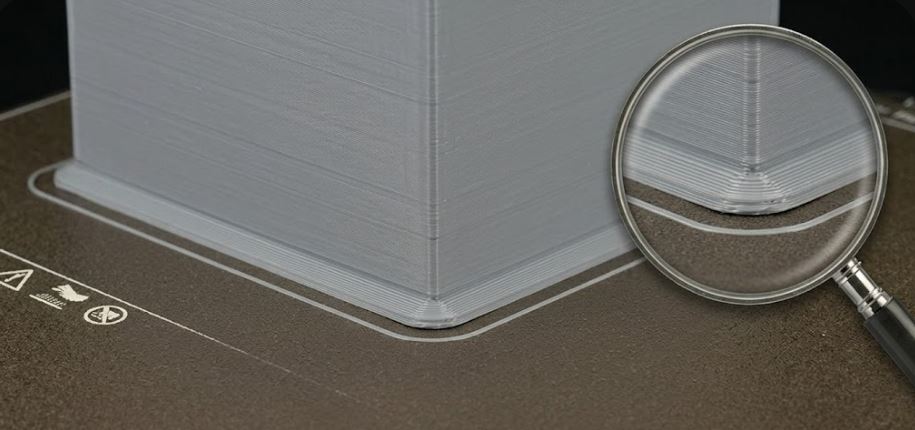
Elephant Foot and First Layer
First layer expansion causes inaccuracy. How to eliminate it.
Elephant foot = first layer expansion beyond nominal size:
🔍 Causes: • Nozzle too close to bed • Bed temperature too high • First layer too slow • Filament not cooled when upper layers are laid
✅ Solutions in slicer: • Elephant Foot Compensation: 0.1–0.2 mm (Cura, PrusaSlicer) • Lower bed temperature by 5 °C • Slightly raise Z-offset • Increase first layer speed
📐 Tolerances: • Acceptable deviation: ±0.1 mm • For precise parts: set compensation precisely
💡 Alternative: • Chamfer bottom edge 0.2–0.5 mm in CAD • In PrusaSlicer: First Layer Expansion • Chamfered edges in model prevent visible expansion