
Printer Maintenance and Cleaning
How to keep your printer running reliably: cleaning, bearing maintenance, and simple diagnostic checks.
⏱ Estimated time: 8 min
Procedure
Regular Maintenance
Maintenance extends the life of your printer and prevents problems. A simple plan for the year.
🗓️ Weekly Check-ins
What to Check After Every 10–20 Hours of Printing
Recommended option
Regular visual inspections prevent 80% of unplanned printing outages.
Washer: Clean IPA 99% and wipe dry. Remove the remnants of the filament and the attached brim or raft.
Filament spool: Check the filament for kinks, cracks and moisture.
Nozzle: Visually check for burnt plastic residue around the nozzle.
Cables Verify that no cable is rubbing against moving parts of the frame or hotend.
📆 Monthly and Seasonal Care
Lubricating, Tensioning Belts, and Cleaning Guides
Axle grease + taut belts = clean print
Spend 15 minutes on your printer once a month—it’ll pay off many times over.
- Axle Lubricant
- Super Lube, PTFE oil or machine oil
- Lubrication Frequency
- Every 50-100 hours of printing
- X/Y Belt Tension
- ~100-120 Hz when tapped with a finger
- Cleaning a PTFE Tube
- Blow out or replace after 300-500 h
Linear axes (rods/rails): Apply a thin layer of lubricant and move the head by hand to the edges - the lubricant will be distributed evenly.
Belts X and Y: A loose belt causes ghosting, skipping steps and inaccuracies. Tighten until it sounds like a bass guitar (~100-120 Hz).
Frame screws: Tighten all visible screws - vibration from the press loosens them over time.
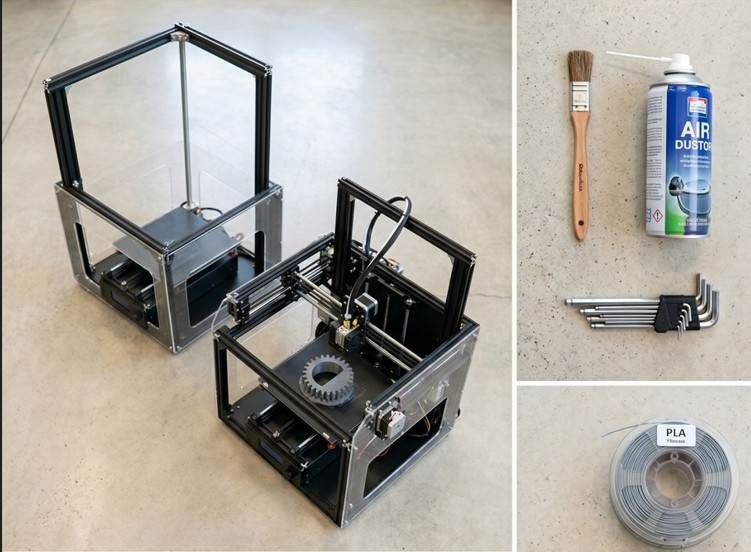
Hotend fan: Dust and filament debris clog the blades. Clean with compressed air or a soft brush.
Replacement of Wear Parts
Recommended option
Wear parts don't last forever. Replacing them at the right time will prevent more serious problems.
- Brass nozzle (0.4 mm)
- Every 200-500 hours of printing
- Hardened steel nozzle
- Every 800-1500 h (CF, GF materials)
- PTFE tube
- Every 400-600 h or when heat creep is indicated
- PEI pad
- In case of significant loss of adhesion or scratching
How to recognize a worn nozzle: Inconsistent extrusion, larger than usual stringing and worse dimensional accuracy even with the correct slicer settings.
Hot nozzle replacement: Heat to printing temperature (+41 °F), then unscrew the nozzle. When cold, you risk damaging the hotend thread.
🧹 Cleaning after printing with various materials
How to Clean a Printer After Printing with ABS, PETG, or Composites
Cold Pull after each transition to another material
Residue from previous material in the nozzle can ruin the print even if the settings are otherwise correct.
Cold Pull after materials transition: Heat to 482 °F, push new filament through, cool to 194 - 248 °F and pull quickly. Repeat until the tip is clean.
After printing with CF or GF Composite filaments leave an abrasive residue. Cold Pull the nozzle with clean PLA after each longer CF print set.
Cleaning the mat after printing with glue: Remove PVA glue or Magigoo with lukewarm water and soap. IPA does not dissolve glue residues effectively.